Let your guests upload their photos with a QR code
How uploading from a phone works, how to print the code and when the photos appear.
Updated on October 28, 2026
Every guest takes photos during the wedding, and only you can bring them together in one place. With the Wedding Space QR code, anyone uploads theirs from their phone, with no app to download and no account to create.
The kit for the day
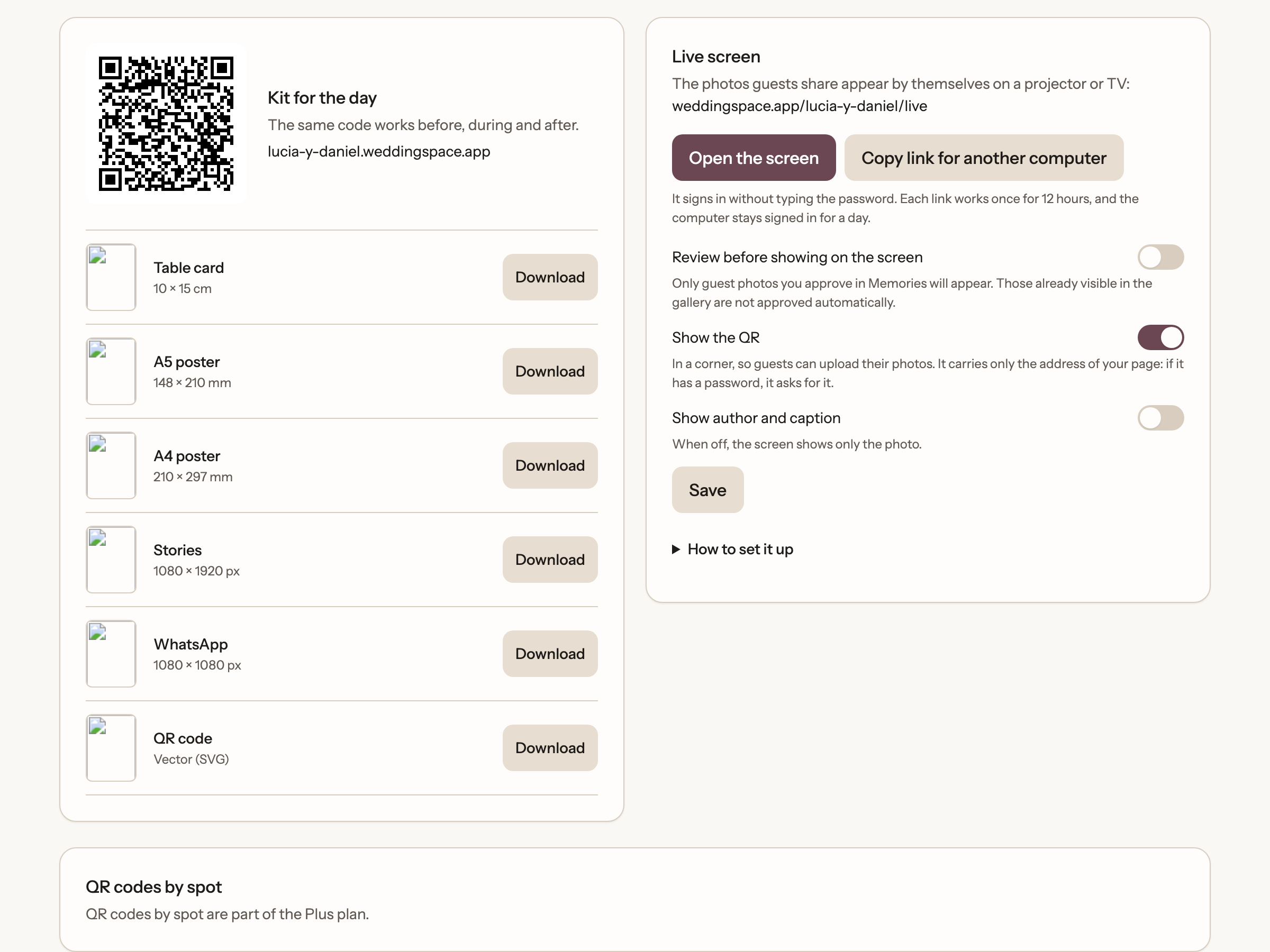
In Share, the Kit for the day section prepares the material to print or send:
- Table card and posters in A5 and A4.
- An image for Stories and another for WhatsApp.
- The QR code on its own, as a vector file (SVG).
Choose the piece, press Download and you have it. The same code works before, during and after the wedding. The kit is only available once the page is published.
If your page has a password, you choose what the code does: Asks for the password or Direct access. With direct access people get in without typing it, but the password is never printed. And if you lose a card, Revoke direct access makes the printed codes ask for the password.
What the guest does
- Scans the code with the phone camera.
- Taps Share photos and, if they want, types their name.
- Chooses Take a photo or Choose from your gallery.
- Watches them upload, with progress, and checks they end up in the gallery.
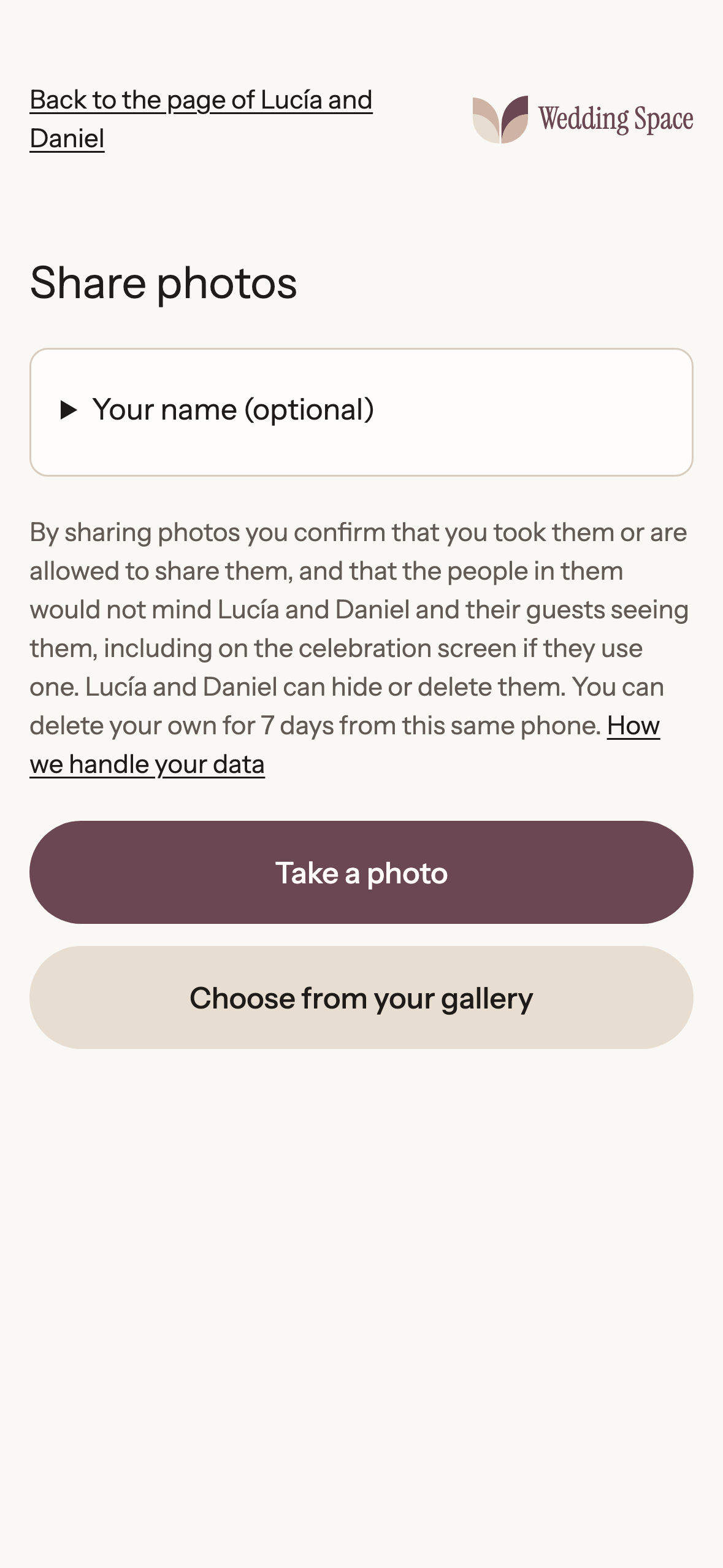
If the connection drops, the upload carries on by itself when it returns.
When photos can be uploaded
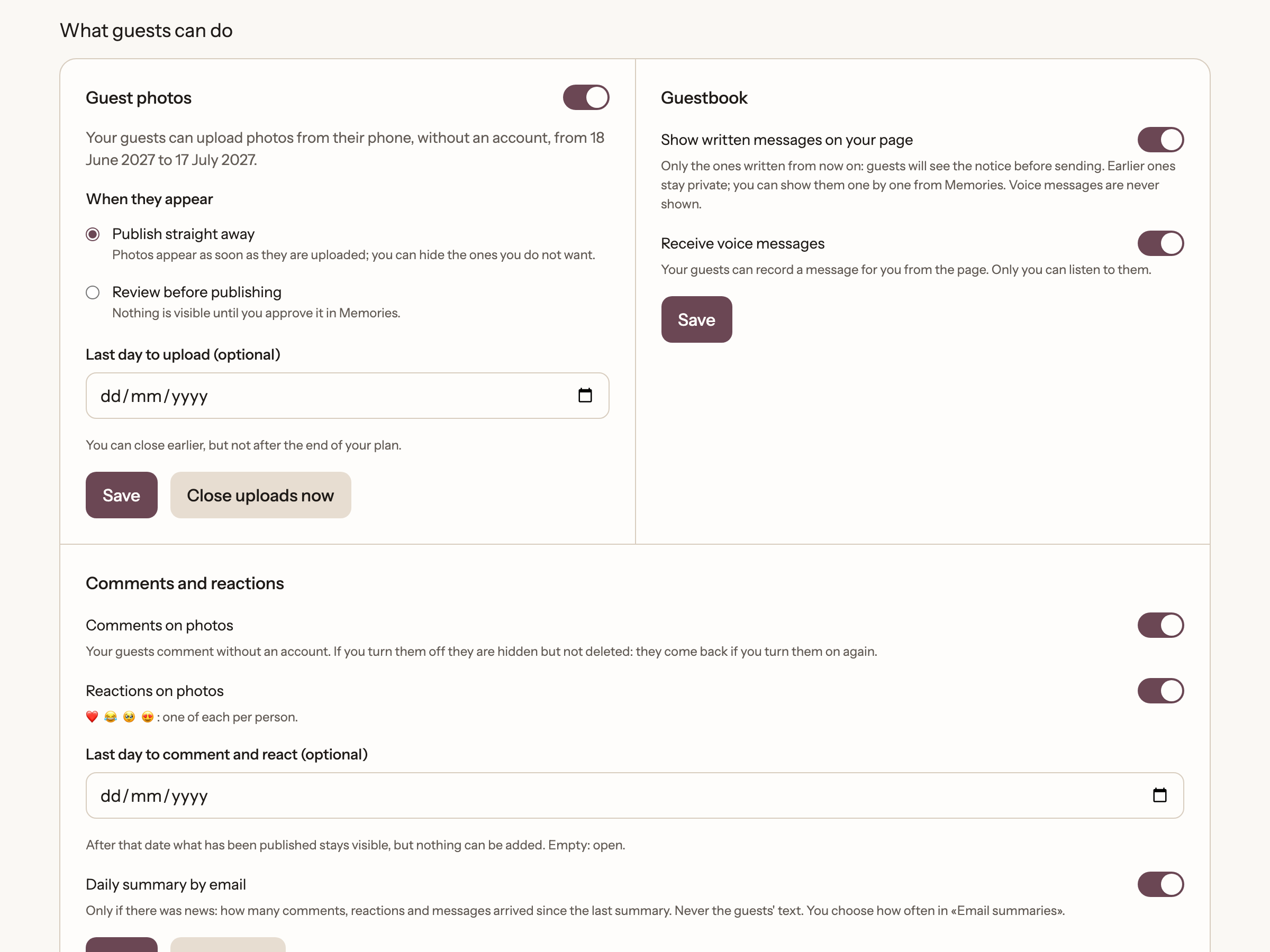
Guests can upload from the day before the wedding and for 30 days. In Settings, Participation tab, under Guest photos, you see the exact dates and can close uploads earlier (not after your plan ends).
When the photos appear
In that same section you choose how they are published:
- Publish straight away: photos appear as soon as they're uploaded. You can hide any you don't want.
- Review before publishing: nothing shows until you approve it in *Memories*, From guests tab. If there are pending photos, you can approve them all at once.
How many photos fit
Guest photos count towards the 15 GB of the Wedding Space plan, shared with you and your photographer. Each guest photo can be up to 25 MB. If it fills up, new files are held as "blocked by capacity" and unlock once capacity is added. The details are in "Choosing a plan: Free or Wedding Space".
Ready to start?
Create our website for free