Companions and children: how they are added and counted
Guests add companions and children separately, and you see adults and children apart.
Updated on October 28, 2026
When confirming attendance, each guest can add the people coming with them. Adults and children are added separately, so it's easy to know how many menus of each kind you need.
What the guest does
- Opens your page and searches for their name under Confirm your attendance.
- Says whether they're coming and, if needed, notes their allergies or dietary requirements.
- Presses Add a companion for each adult coming with them, or Add child for each minor, and types their name.
- Sends the reply.
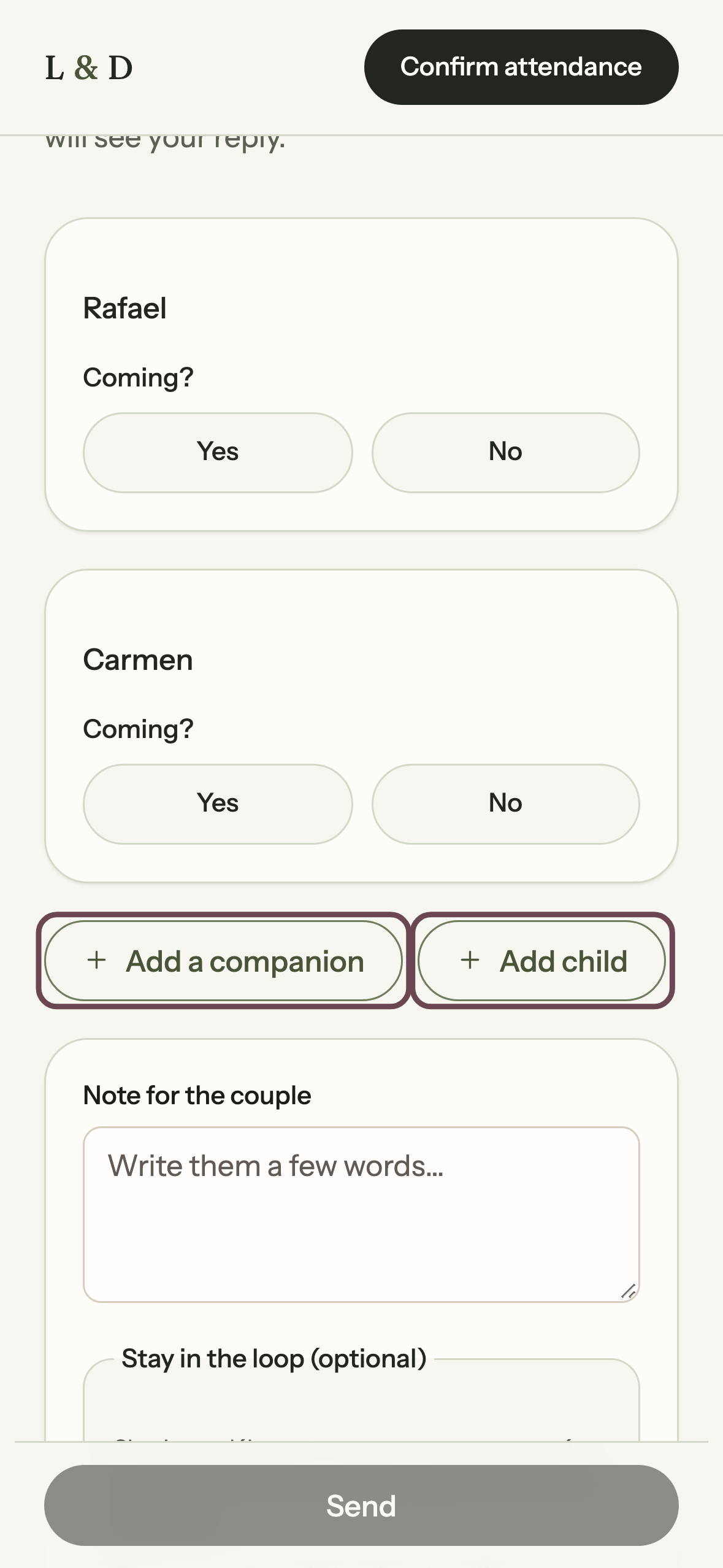
If the guest belongs to a group on your list, the form already shows everyone in the group and each person answers yes or no. The unnamed companions you allowed them to bring show up as *Companion 1*, *Companion 2*, and can be removed.
What you see
In Guests, under the Replies tab:
- The People expected figure includes the companions of those who are attending, and shows it split into adults and children.
- Each reply shows its companions, marking who is a minor, with each person's allergies.
- You can correct a name, the attendance or the companions with Edit.
- The CSV from Download the list also separates adults and children, so you can hand it straight to the caterer.
When you build the list yourselves
When you create or edit a group, tick Is under 18 for each child. That mark is what separates children's menus in the totals and in the CSV.
Allergies and health data
Allergies and diets are health data. Only you can see them, they're used to plan the food, and the guest can leave that field blank. Each adult notes their own needs; an adult replies for the children they bring.
Ready to start?
Create our website for free